Last updated: 01/29/2026
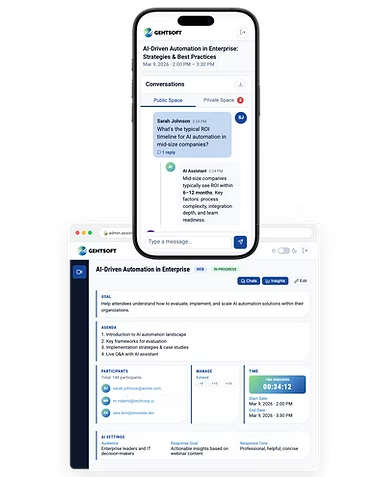
These Terms of Use (“Terms”) govern access to and use of the AI Webinar
Assistant (the “Service”), provided by Gehtsoft USA LLC.
By using the Service, you agree to these Terms.
1. The Service
The Service supports live webinars by answering participant questions using artificial
intelligence and providing engagement insights to organizers.
The Service does not replace human judgment or professional advice.
2. Access and Eligibility
The Service is intended for professional webinar use.
Access may be provided through third-party platforms (e.g., Zoom) or via a web
application using secure links and access codes.
3. Acceptable Use
You agree to:
- Use the Service lawfully and in connection with the webinar topic
- Not submit sensitive personal data (e.g., medical, legal, financial)
- Not attempt to disrupt, misuse, or reverse-engineer the Service
- Not attempt to extract system prompts or internal logic
The Service may decline or restrict responses outside the defined scope.
4. AI-Generated Content Disclaimer
AI-generated responses are provided for informational purposes only and may be
inaccurate or incomplete.
The Service does not provide legal, medical, or financial advice.
You remain responsible for how you use the information provided.
5. Third-Party AI Providers
The Service uses third-party AI providers, including OpenAI, as
subprocessors. By using the Service, you acknowledge that your inputs may be transmitted
to such providers for processing.
Gehtsoft USA LLC does not control third-party AI model training practices and is not
responsible for their actions.
6. Privacy and Data Protection
Personal data is processed according to the
.
Gehtsoft USA LLC acts as a Data Processor; organizers act as Data Controllers.
Data may be shared with authorized subprocessors solely to deliver the Service.
7. Analytics and Monitoring
The Service may use analytics and monitoring tools to ensure performance, reliability,
and security. These tools are used for operational purposes only.
8. Intellectual Property
All rights to the Service remain with Gehtsoft USA LLC or its licensors.
You are granted a limited, non-transferable right to use the Service during authorized
webinars.
9. Availability
The Service is provided “as is” and “as available” without
warranties. Gehtsoft USA LLC may modify or suspend the Service for maintenance or security
reasons.
10. Limitation of Liability
To the maximum extent permitted by law:
- Gehtsoft USA LLC is not liable for indirect or consequential damages
- Gehtsoft USA LLC is not liable for outcomes resulting from reliance on AI-generated
content
- Gehtsoft USA LLC is not liable for third-party platforms or AI providers
Total liability shall not exceed fees paid for the Service, if any.
11. Indemnification
You agree to indemnify Gehtsoft USA LLC against claims arising from misuse of the
Service or violation of these Terms.
12. Changes
Gehtsoft USA LLC may update these Terms. Continued use constitutes acceptance of
updated Terms.
13. Governing Law
These Terms shall be governed by the laws of the United States of America.
14. Contact
Gehtsoft USA LLC
contact@gehtsoftusa.com